

How We Tracked Client Platform Usage Inside HubSpot Using Tickets, Workflows, and Custom Reports
If you've ever tried to show a client exactly how much of their enterprise licence is actually being used (broken down by employee, by page, by month) you'll know HubSpot doesn't make it easy.
Out of the box, HubSpot's analytics tells you what pages were visited. It does not cleanly tell you which of your deal contacts visited them, nor does it let you slice that data against a specific renewal deal, filter by date range, and present it in a report your client can act on.
We hit this exact problem with a content platform client. Here's how we solved it using nothing but native HubSpot: custom properties, a Tickets pipeline, two workflows, and custom reports.
The Problem
Our client sells enterprise software packages to business customers. At renewal time, the enterprise buyer wants to know: which of our employees actually used this platform, and how much? Based on that, they decide whether to renew seats, reassign seats, or cut them entirely.
The client already had HubSpot tracking code on their platform and had connected their platform login form to HubSpot, so every user session was tied to a known Contact. The usage data was there. The problem was surfacing it: associated to the right Deal, filterable by renewal period, viewable per user.
Hub tiers in play: Marketing Hub Starter, Sales Hub Enterprise, Service Hub Professional, Content Hub Starter, Data Hub Starter.
The Architecture
The core idea: turn every page view into a Ticket, associate that Ticket to the right Deal, then report across Deals and Tickets.
We considered using a Custom Object, but HubSpot caps Custom Objects at 1 million records. For a busy content platform tracking every page view across hundreds of users, that ceiling is uncomfortably close. Tickets have a limit of 15 million records, which gives us plenty of headroom. They're also natively reportable alongside Deals, which is exactly what we needed.
Here's how it fits together.
Step 1: Custom Properties
On the Contact Object
| Property | Type |
|---|---|
| Latest Associated Deal Record ID | Number (Unformatted) |
This stores the Deal ID of the most recently closed enterprise deal the Contact is associated to as a 'Learner'. It's the bridge that connects a page view back to the correct renewal deal.
On the Ticket Object
| Property | Type |
|---|---|
| Associated Deal Record ID | Number (Unformatted) |
| Base URL | Single line text |
| Browser | Single line text |
| City | Single line text |
| Country | Single line text |
| Page Name | Single line text |
| Page Title | Single line text |
| Query Parameters | Single line text |
| URL Domain | Single line text |
| URL Path | Single line text |
| User Agent | Single line text |
| UTM Campaign | Single line text |
| UTM Content | Single line text |
| UTM Medium | Single line text |
| UTM Source | Single line text |
| UTM Term | Single line text |
These mirror the 'Page visited' event properties that HubSpot captures automatically, so you can copy them directly from the event onto the Ticket record.
Tickets Pipeline
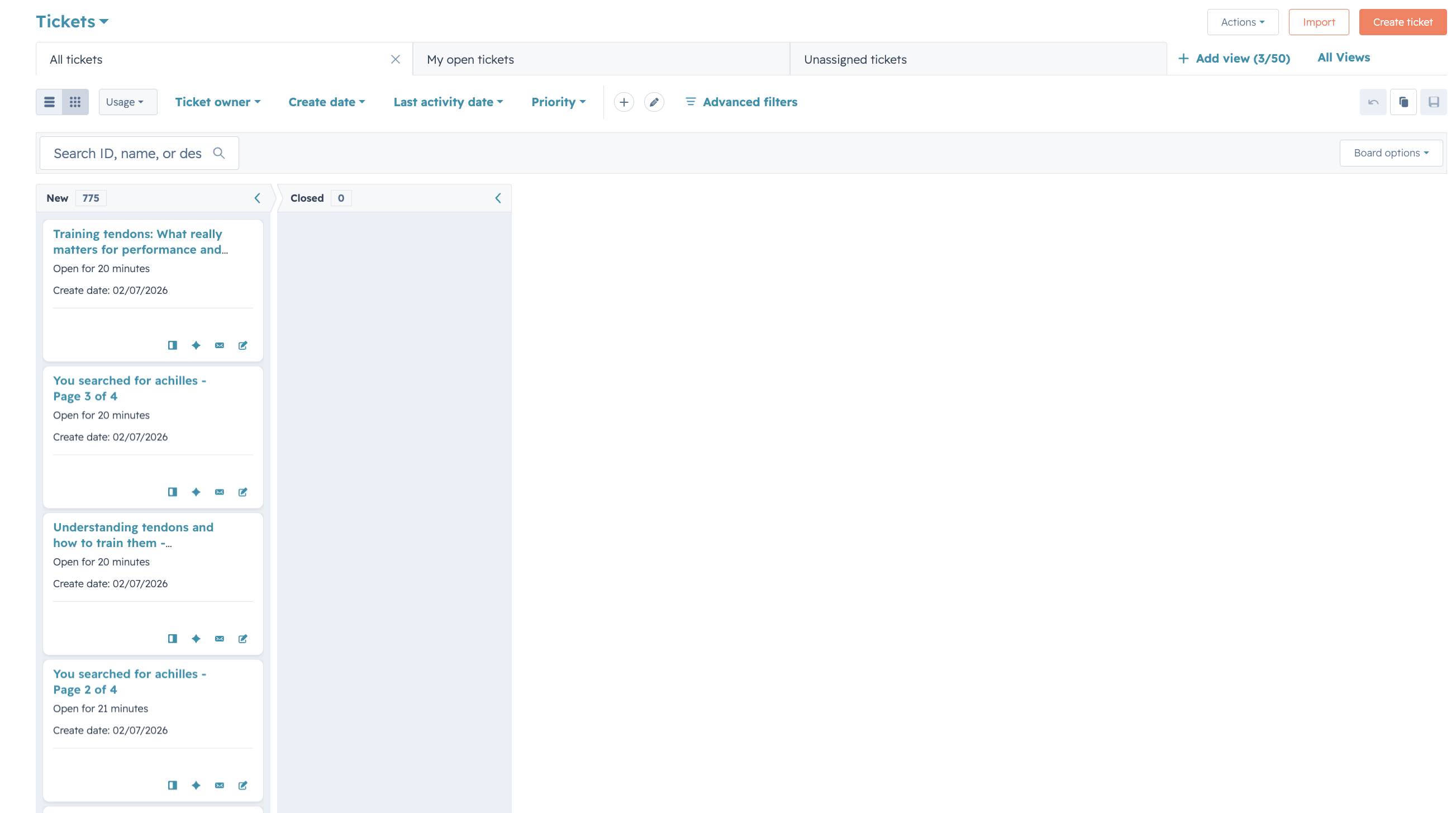
Create a new pipeline on the Ticket object called Usage. You don't need complex stages, a single active stage is enough. The pipeline exists to keep these usage tickets separate from your support queue and to make filtering in reports clean.
Step 2: Stamp the Deal ID at Renewal Close
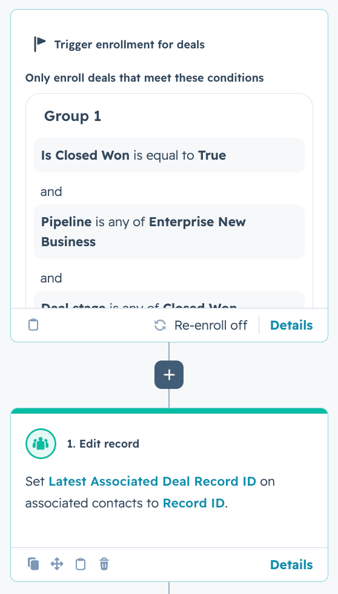
Inside your existing renewal workflow (the one that triggers when a deal moves to Closed Won), add an action to stamp the Deal Record ID onto all associated Contacts with the Association Label 'Learner', writing to the Latest Associated Deal Record ID Contact property.
This gives every relevant Contact a fresh Deal ID at each renewal cycle, so subsequent page view tickets are always tied to the current deal and not a stale one from a previous year.
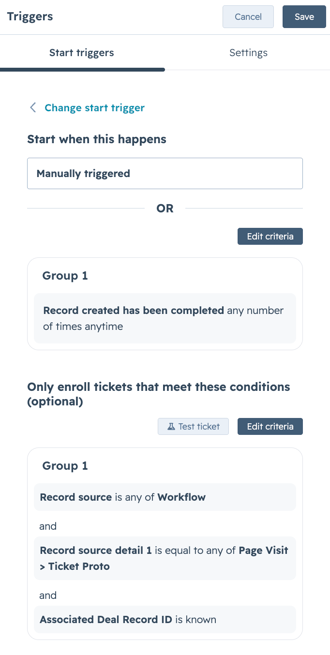
Step 3: Page View Workflows
This is where page views become Tickets.
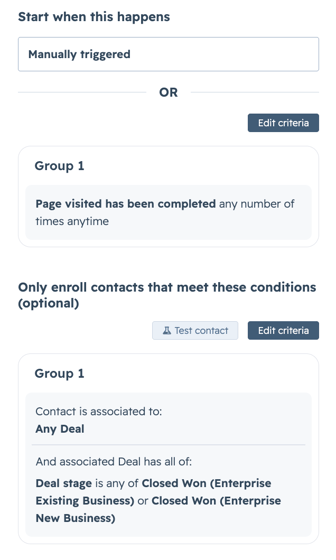
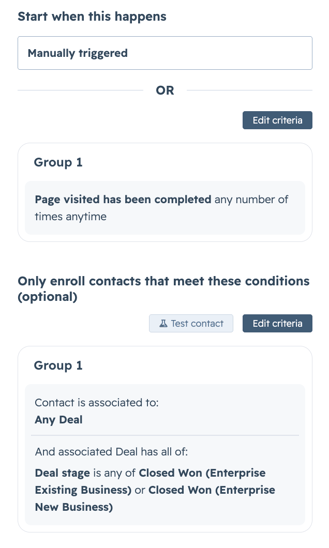
Trigger: Page visited event has been completed any number of times, anytime, and Base URL is equal to [your platform URL].
This trigger is also your chance to filter out noise. Got a /login page, a /loading screen, or internal admin paths you don't care about? Add URL Path conditions here to exclude them. The cleaner the trigger, the more meaningful your reports.
Enrollment filter:
- Contact is associated to: Any Deal
- And that associated Deal has all of: Deal Stage is any of Closed Won (Enterprise Existing Business) or Closed Won (Enterprise New Business)
This ensures you're only creating Tickets for active enterprise users, not trial accounts, internal staff, or contacts on other deal types.
Action 1: Create Ticket
Name the ticket using the Page Title and the Contact's name (e.g., "Pricing Page - Jane Smith"). Copy each 'Page visited' event property into its corresponding Ticket property. Also copy Latest Associated Deal Record ID from the Contact to the Associated Deal Record ID Ticket property.
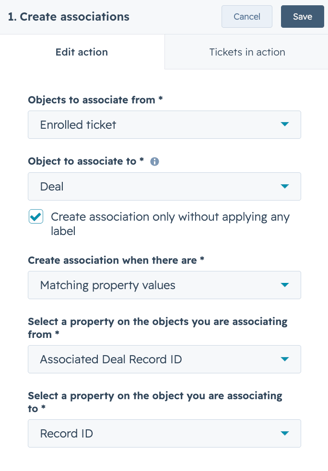
Action 2: Create Association
Use HubSpot's Create associations between the most recently created associated ticket and a deal action. Match on:
- Ticket: Associated Deal Record ID
- Deal: Record ID
This wires the Ticket directly to the right Deal record, which is what makes the reports work.
NOTE: Depending on the frequency of page visits you are looking to track, you may need to break this out into a separate workflow to ensure the workflow completes before another page visit occurs. Trigger below.
Step 4: The Reports
With Tickets now associated to Deals and carrying all the page view metadata, you can build three reports that give the client everything they need for a renewal conversation.
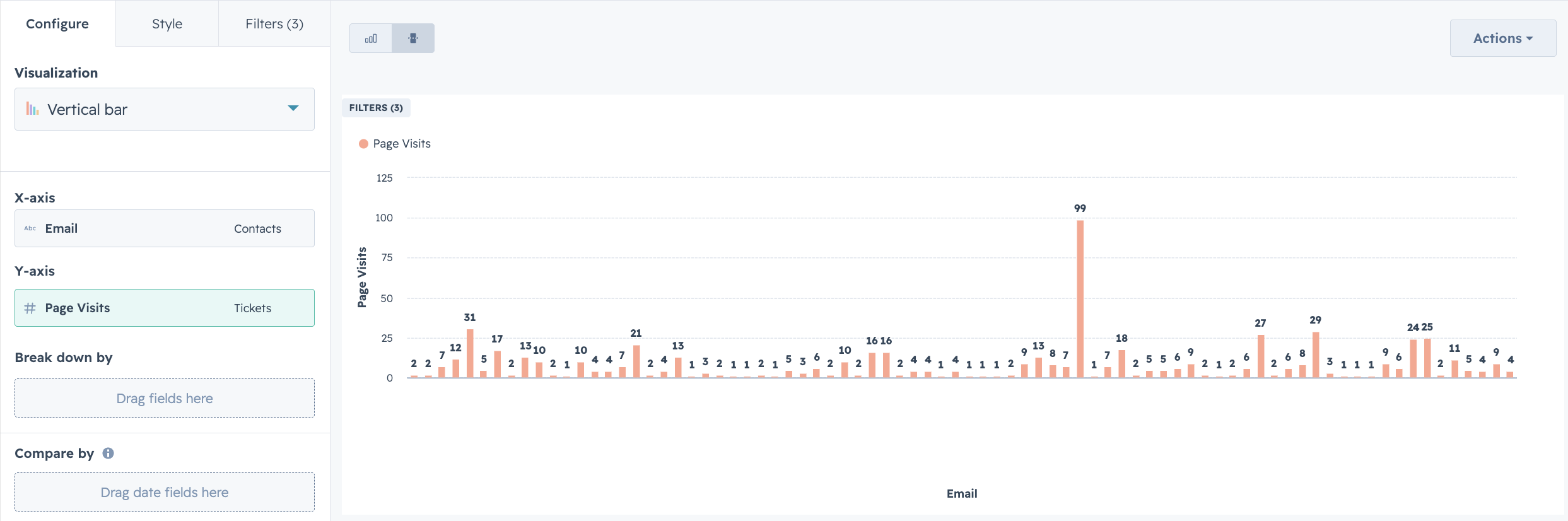
Report 1: Page Views by User
Type: Custom report (Deals + Tickets)
Y-axis: Count of Tickets (rename the label to "Page Visits")
X-axis: Contact Name / Email
Filters: Deal Agreement Start Date, Deal Agreement End Date, Associated Contacts
This answers: who are the heavy users and who hasn't logged in?
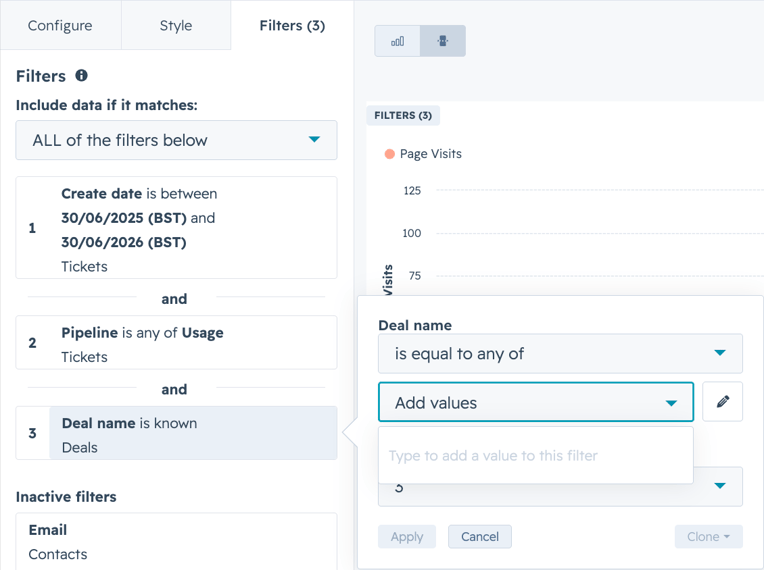
Filter by Create Date and the Deal name if needed, this can also be done on a dashboard level.
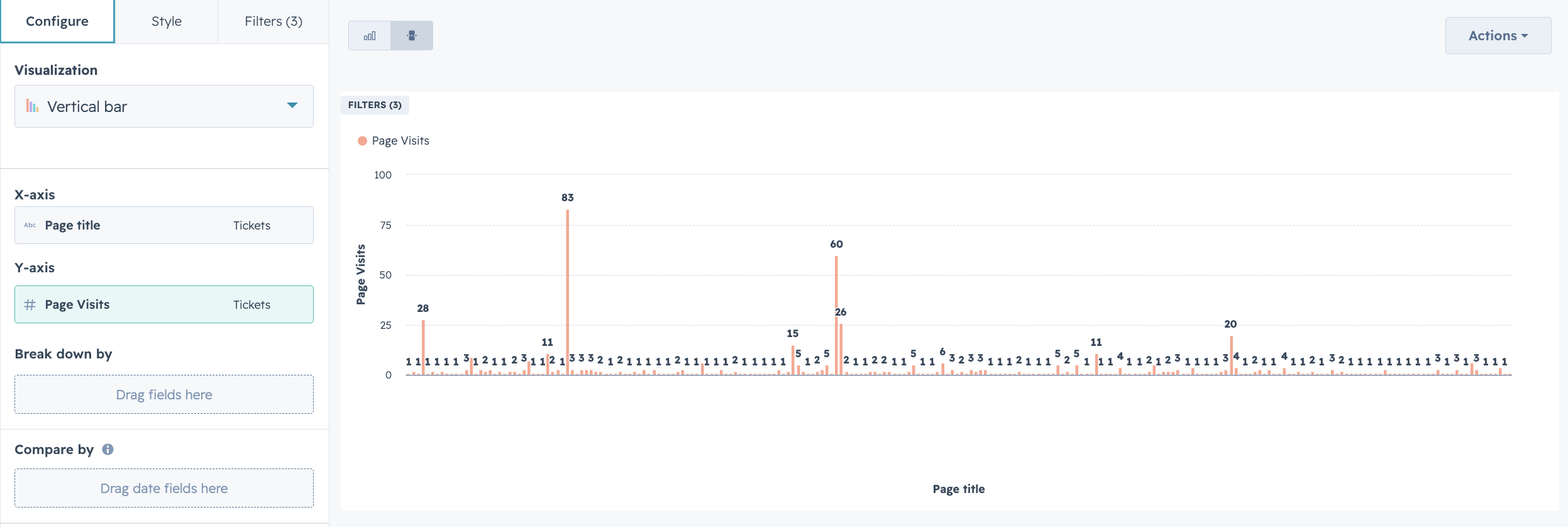
Report 2: Page Views by Content
Type: Custom report (Deals + Tickets)
Y-axis: Count of Tickets (renamed "Page Views")
X-axis: Page Title
Filters: Deal Agreement Start Date, Deal Agreement End Date, Associated Contacts
This answers: what content is actually being used? Useful for product and content decisions, not just renewal.
Report 3: Page Views Over Time
Type: Custom report (Deals + Tickets)
Y-axis: Count of Tickets (renamed "Page Views")
X-axis: Create Date (Monthly)
Filters: Deal Agreement Start Date, Deal Agreement End Date, Associated Contacts
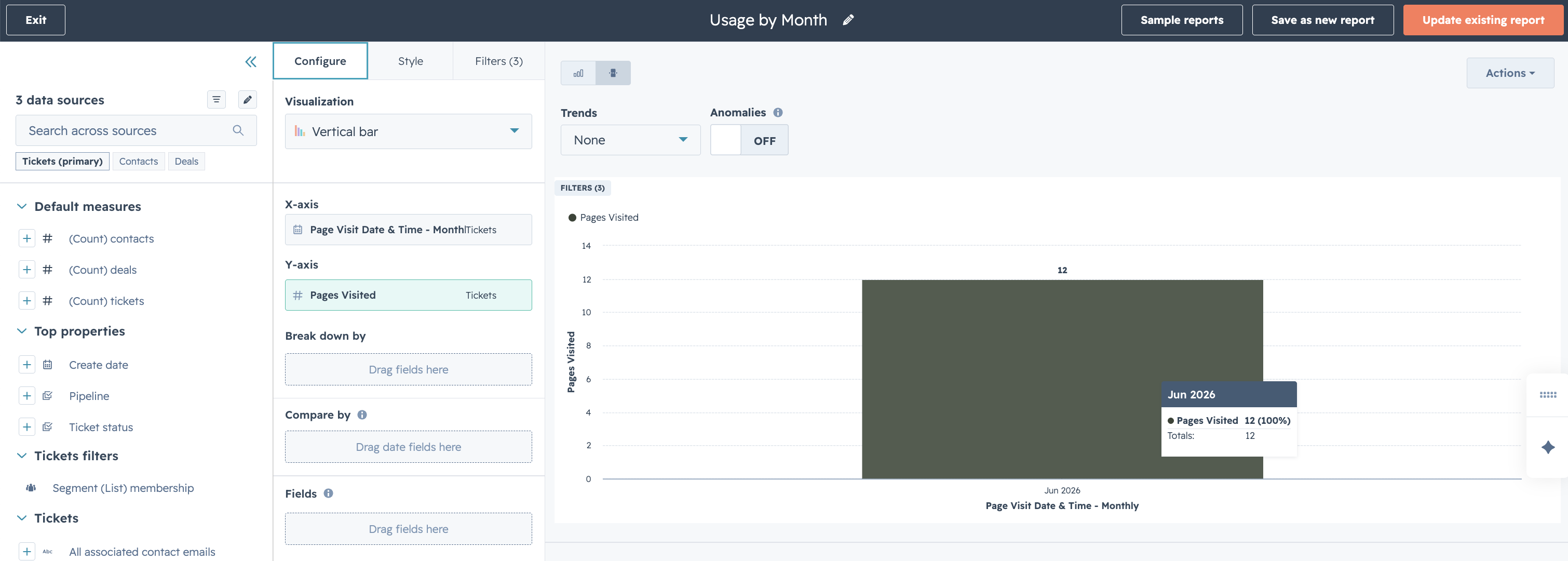
This answers: is usage growing, declining, or seasonal? A dip in the months before renewal is a red flag worth addressing proactively.
What This Unlocks
The client can now pull these three reports filtered to any renewal deal and get a clear picture of seat utilisation across the licence period. The account manager walks into the renewal conversation knowing which seats to justify, which to reassign, and which the data simply won't support keeping.
More importantly: it's all native HubSpot. No external analytics tool, no data warehouse, no custom integration. If your client is already on Sales Hub Enterprise and Service Hub Professional, everything described here is within reach.
A Note on Limitations
A few things worth being aware of:
- Workflow re-enrolment: Make sure your page view workflow allows re-enrolment (which it will, since it's event-triggered), otherwise contacts will only get one Ticket ever.
- Deal ID stamping timing: The stamp happens at Closed Won. If a contact is added to a deal after close (e.g., a new employee mid-contract), you'll need a separate workflow to handle late additions.
- Report volume: If your client has high-traffic users, the Ticket object can accumulate quickly. Worth discussing data retention expectations upfront.
If you're working on a similar challenge (usage reporting, seat management, or tying behavioural data back to commercial deals inside HubSpot) get in touch with the team at RevOdyssey.